Profile Settings
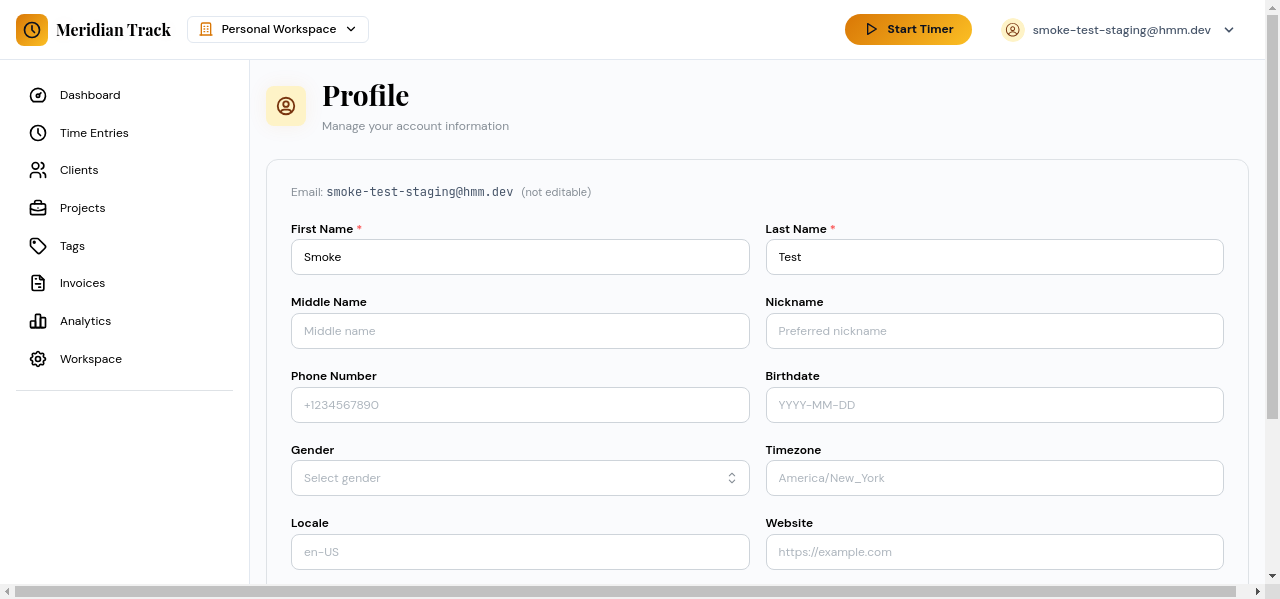
The Profile Settings page lets you update your personal information and configure billing defaults that apply to new time entries.
Display Name and Email
Section titled “Display Name and Email”Your display name appears throughout the app wherever your identity is shown, including workspace member lists and report headers. Your email address is used for login and for receiving scheduled report deliveries.
To update either field:
- Open the user menu in the top-right corner of the app.
- Select Profile.
- Edit the Display Name or Email field.
- Click Save Changes.
Billing Defaults
Section titled “Billing Defaults”Billing defaults set the baseline values used when creating new time entries or projects.
- Default Hourly Rate — The rate applied to billable time entries when no project-specific rate is configured. Enter the value as a number (for example,
75). - Currency — The currency used for earnings calculations and report totals. Select from the dropdown list.
These defaults can be overridden at the project level. Changing your defaults does not retroactively update existing time entries or projects.